SO-101 · MuJoCo · one wrist camera
A frozen learned policy, a classical visual servo and a release primitive pick a 32 mm part from a running conveyor and place it in a tote. Now with motion that no longer shakes.
How it works
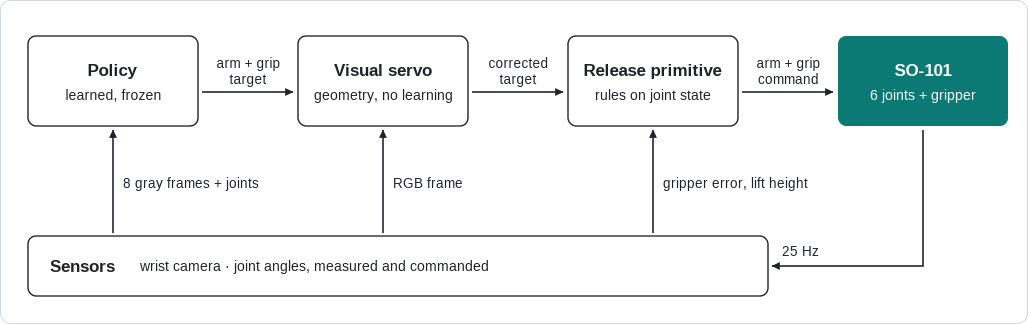
A learned policy does the broad motion, a classical servo does the last centimetres, and a proprioceptive primitive decides when to let go.
Reads 8 grayscale wrist frames (280 ms) plus 12 joint values and predicts an 8×6 action chunk at 25 Hz.
Back-projects the part and tote onto the known work plane, leads the moving part and gates the close at predicted contact.
Confirms a stalled close, a lift and a low descent before opening the jaws, so “touched the tote” never counts as a place.
The wobble
The policy emits one arm target every 40 ms. The simulator held each target constant and then jumped to the next one, so the position servo followed a staircase at 25 Hz. Interpolating inside each step removes the staircase without touching the policy.
Play
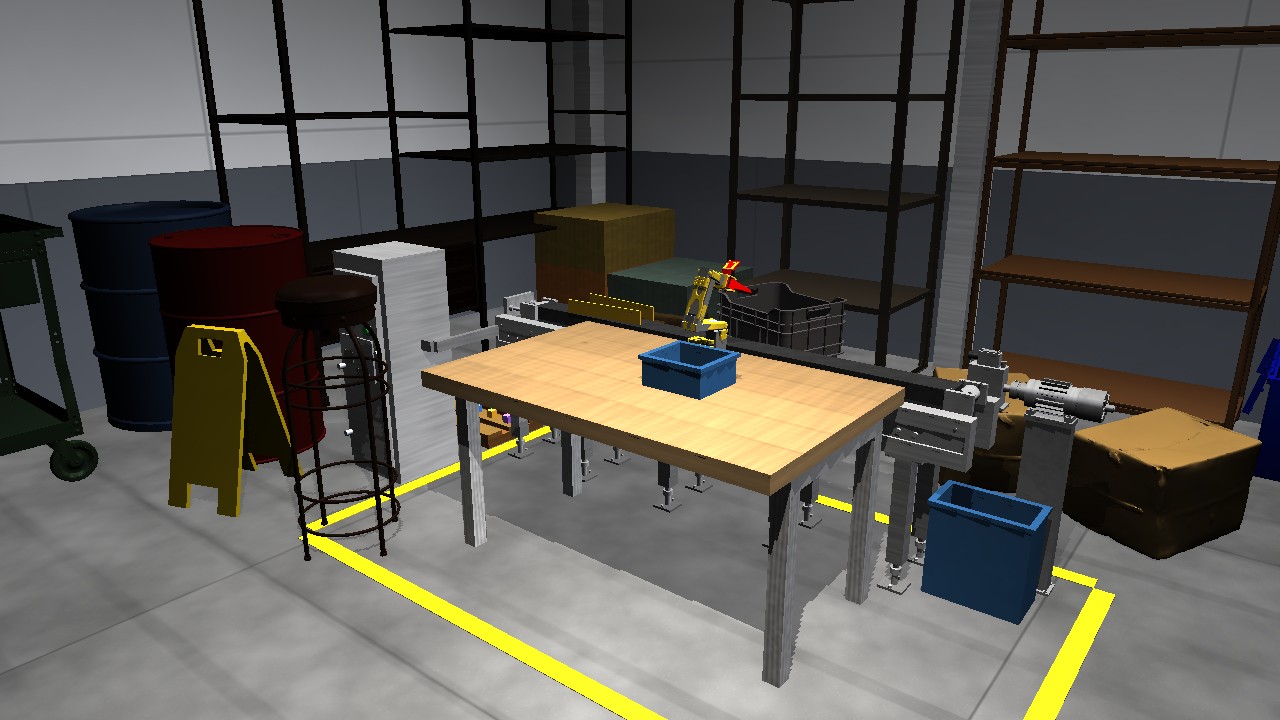
The simulation runs on the machine that started this page. Change the scene, the lighting, the tote position and the motion mode, switch the visual servo off, and fly the camera around the Blender-dressed hall.
Orbit view: drag to rotate, scroll to zoom. Without a GPU the simulation runs slower than real time.
Results
200 trials per condition. A place means the part was released, stayed in the tote and moved slower than 0.05 m/s for 0.4 s. The evaluation objects have zero overlap with the 2,302 training seeds.
| Condition | Pick | Place |
|---|---|---|
| nominal | 99.5 % | 99.0 % |
| tierB — lighting, tint, mount jitter | 99.0 % | 97.5 % |
| boxX — held-out tote corners | 99.5 % | 99.5 % |
| Blender hall, zero-shot (200 trials) | 100 % | 99.5 % |
| Blender hall, visual servo off (control) | 86.0 % | 60.0 % |
Simulation only, one 32 mm part, one SO-101, one conveyor. The smoothing profile is new and evaluated separately; the numbers above are for the frozen original protocol.
Run it
Install the requirements once, then start this page. It opens in your browser and runs the simulation locally.
pip install -r requirements.txt python web/server.py